Como fazer um vídeo de apresentação com rotação 3D de 360° em 3 cliques (sem precisar de equipamentos caros)
Esqueça os suportes de câmera de R$2.500 e horas de trabalho de pós-produção. Transforme uma única foto bem iluminada em um clipe suave de rotação de 360° para produtos, colecionáveis ou moda em 3 cliques com nosso modelo de IA.
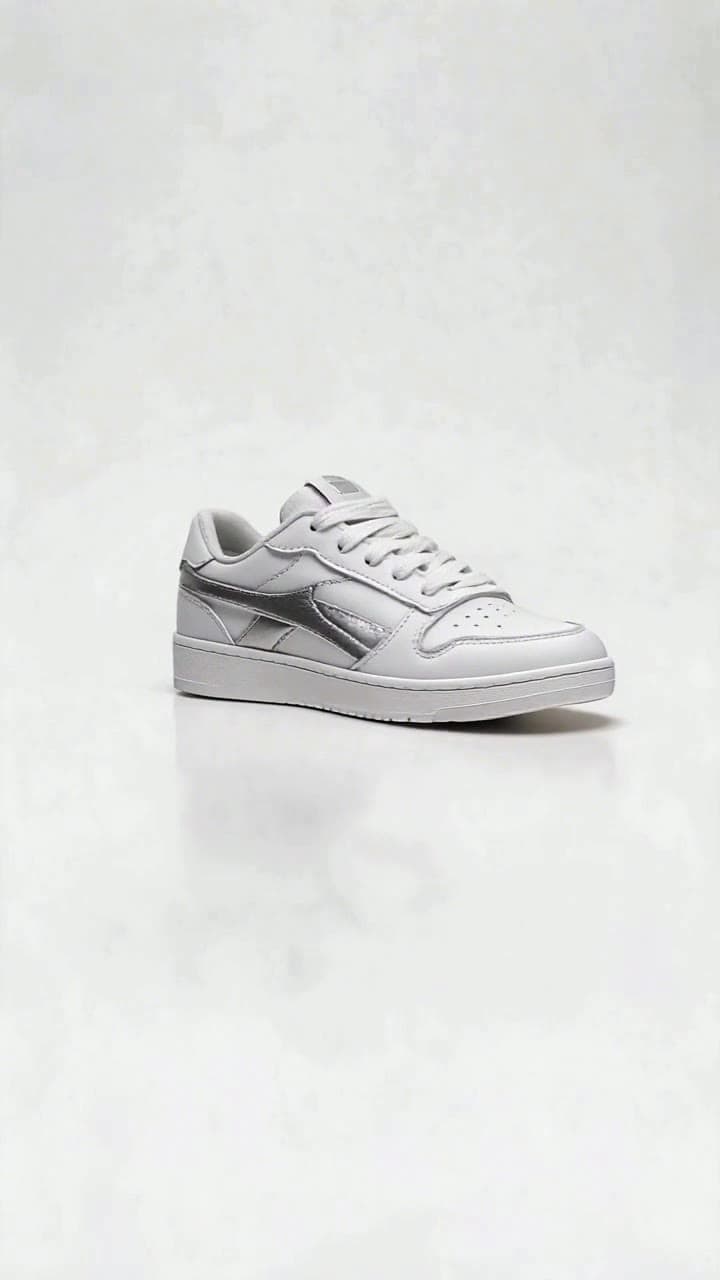
Se você já tentou gravar uma apresentação de produto em 360° do jeito tradicional, sabe como é: mais de 20 fotos espaçadas com cuidado, uma plataforma giratória motorizada, horas de edição no Premiere e ainda acabar com um resultado tremido e com iluminação desigual. Nosso fluxo de trabalho de 3 cliques elimina tudo isso, e o clipe final fica pronto para ser publicado em menos de 60 segundos no total.
Preparando sua foto de origem para resultados de rotação perfeitos Você não precisa de uma câmera profissional para obter um render nítido e sem falhas, mas algumas verificações rápidas na sua foto original vão eliminar 90% dos problemas comuns antes mesmo de você fazer o upload: - Use uma foto frontal do seu objeto bem iluminada, sem sombras duras de cima que se espalhem pela sua superfície - Mantenha todo o objeto 100% dentro do quadro: sem cadarços de tênis cortados, alças de canecas cortadas ou barras de jaquetas parcialmente escondidas - Fotografe contra um fundo liso e de alto contraste (uma parede branca, lençol cinza neutro ou até um lençol de cor sólida serve) para que a IA consiga separar facilmente o objeto do seu entorno - Evite padrões cheios de detalhes diretamente atrás do objeto, objetos transparentes como vidro limpo que se misturam ao fundo e fotos com muito desfoque de movimento, que vão confundir o mapeamento de profundidade da IA. Para criadores de conteúdo de moda, fique de frente para a câmera com uma pose relaxada e neutra (sem braços cruzados ou cabeça inclinada) para garantir que a rotação completa de 360° renderize corretamente os detalhes da parte de trás da sua roupa.
O fluxo de trabalho de geração em 3 cliques Essa é a parte que substitui horas de edição manual. Primeiro, acesse diretamente a página do modelo [Apresentação com Rotação 3D de 360°](/templates/360-3d-rotate-showcase) — sem navegação complicada no painel ou caixas de prompt confusas para preencher. Clique no botão de upload para enviar sua foto de origem preparada para a ferramenta, depois clique no grande botão azul Gerar. É isso, esses são os três cliques.
A IA executa em segundo plano por cerca de 45 segundos no total: ela recorta o seu objeto de forma limpa automaticamente, define uma órbita de câmera consistente na altura dos olhos, adiciona uma iluminação suave e uniforme de estúdio que elimina reflexos fortes e renderiza uma rotação completa de 360° de 5 segundos que revela todos os lados do seu objeto, desde o logo em relevo na parte de baixo do seu tênis personalizado até a estampa da parte de trás da sua camisa de banda vintage. Cada geração usa 2 dos seus créditos da plataforma, o que é muito menos do que os mais de 10 créditos que a maioria das ferramentas de vídeo de IA gerais cobram por renders de movimento 3D comparáveis. Se você notar pequenas falhas nas bordas (cantos borrados em um produto, um fio de cabelo estranhamente renderizado em uma foto de moda), basta fazer o upload de uma versão de resolução mais alta da sua foto de origem com ainda mais contraste entre o objeto e o fundo para obter um recorte perfeito e limpo na segunda tentativa.
O que fazer com o seu clipe de rotação finalizado Quando o seu render estiver pronto, você pode exportá-lo em 1080p diretamente para a galeria do seu celular ou para o desktop em 10 segundos, sem marcas d'água anexadas. Pequenos vendedores de e-commerce usam esses clipes diretamente nas listagens de produtos do Etsy ou Shopify para reduzir as taxas de devolução de clientes em 20%, mostrando todos os ângulos dos seus produtos artesanais. Revendedores os usam para destacar detalhes de peças em perfeito estado de Funko Pops raros ou câmeras vintage para listagens no eBay que recebem 3 vezes mais lances do que postagens com fotos estáticas. Criadores de conteúdo de moda os inserem em vídeos de compras no TikTok para mostrar detalhes dos bolsos de trás de calças jeans ou bordados escondidos em moletons que nunca aparecem bem em fotos planas.
Se você quiser expandir sua linha de conteúdo além de rotações básicas de produtos, navegue pela nossa lista selecionada de prompts e conceitos práticos em 7 Ideias de Vídeos de Apresentação com Rotação 3D de 360° para ajustar seus clipes para Reels, Pinterest ou até páginas de produtos da Amazon. Você também pode combinar seu clipe de rotação com nossos outros modelos focados em produtos, como a revelação de produto 3D flutuante ou o zoom lento em detalhes, para criar um vídeo de demonstração de produto completo de 1 minuto sem nunca abrir um aplicativo de edição separado.


