Como Fazer um Vídeo de Dança Retrô no Palco Sincronizado com IA Viral em 3 Passos Simples Sem Complicações
Transforme qualquer selfie casual, foto antiga do anuário escolar ou retrato favorito em um clipe de 60 segundos de dança retrô no palco perfeitamente sincronizado, sem precisar de experiência em edição ou dança nenhuma.
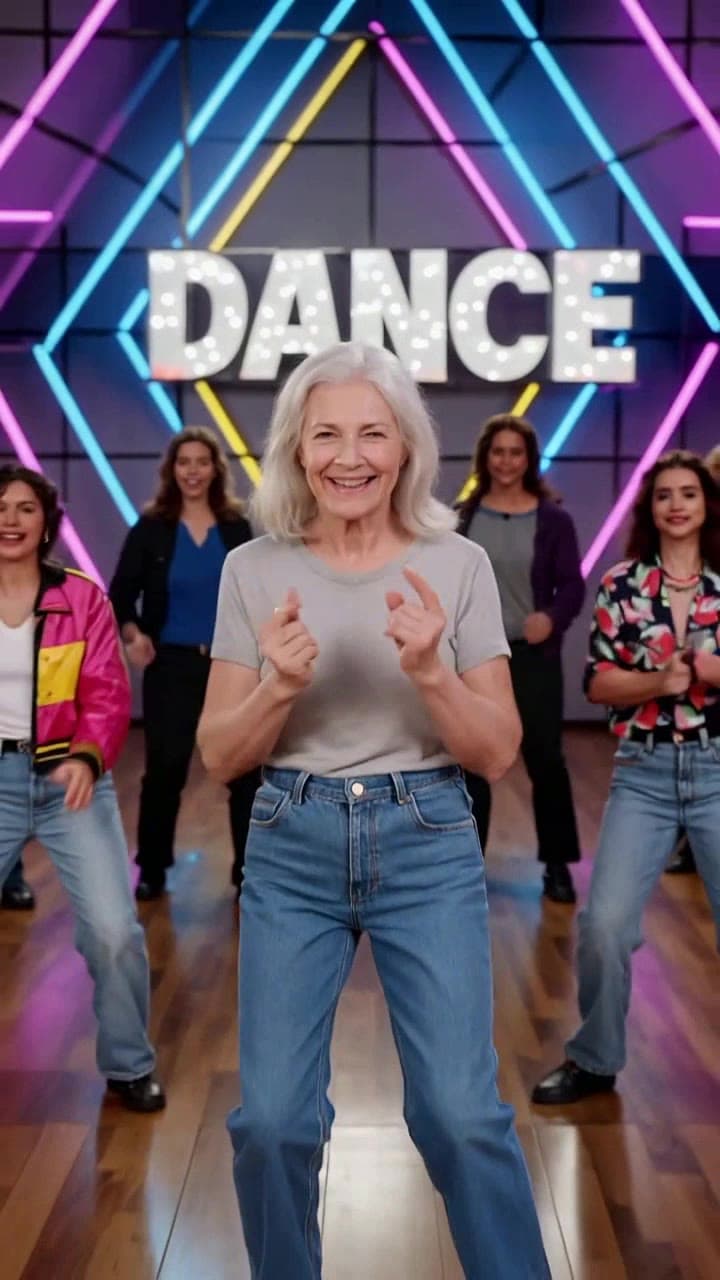
Se você andou rolando o TikTok ou o Reels recentemente e viu todo mundo, desde seus colegas de colégio até seus personagens favoritos de séries dos anos 90, arrasando nessa tendência de dança sincronizada no palco neon, você provavelmente se perguntou como eles conseguiram fazer isso sem contratar uma equipe completa de dançarinos de apoio. A boa notícia é que você não precisa de nenhuma habilidade de edição de vídeo, ritmo, nem mesmo ir a um estúdio de dança para fazer sua própria versão que vale a pena compartilhar. Testamos todos os casos de uso da ferramenta para montar esse guia direto ao ponto que garante um resultado nítido e reconhecível todas as vezes.
Passo 1: Escolha a Foto de Origem Perfeita para Evitar Distorções Estranhas no Rosto Esse é o passo mais importante para obter uma renderização que realmente se pareça com você, e não com um sósia estranho que parece saído de uma cena de terror. Siga essas regras rígidas para sua imagem de origem: - Use uma foto bem iluminada e de frente, onde seu rosto ocupe pelo menos 30% do quadro (não use fotos de grupo distantes onde você é uma figura minúscula no fundo de uma multidão em um show) - Evite bonés grandes, máscaras de rosto, óculos de sol com lentes muito escuras ou franjas grossas que cubram mais do que um pedacinho pequeno da sua testa - Opte por uma expressão neutra e relaxada, em vez de uma careta de olhos apertados ou um beiço exagerado que a IA vai ter dificuldade de mapear para os movimentos naturais do dançarino - Para ganhar pontos extras de nostalgia e viralização, procure uma foto antiga e um pouco vergonhosa do anuário do colégio, um retrato de infância dos anos 90, ou até uma foto de rosto vintage dos seus pais para surpreendê-los com um clipe divertido para compartilhar.
Passo 2: Gere Seu Clipe Completo de 60 Segundos em Um Clique Vá direto para o [gerador de Vídeo de Dança Retrô no Palco Sincronizado com IA](/templates/ai-synchronized-retro-stage-dance) para começar. Não há controles deslizantes confusos, nem configurações de captura de movimento para ajustar, nem downloads de áudio separados para dar errado. Depois que você enviar sua foto, a IA automaticamente mapeia seu rosto para a posição do dançarino principal, renderiza a sequência completa de 1 minuto de coreografia perfeitamente sincronizada, preenche o resto do palco com dançarinos de apoio retrô que combinam com o estilo, adiciona os efeitos icônicos de luzes estroboscópicas neon rosa e azul do palco, e até combina toda a rotina com áudio de synth pop dos anos 80 sincronizado com a batida.
Antes de confirmar sua renderização final, você ganha uma prévia gratuita de 10 segundos em baixa resolução para confirmar que seu rosto foi mapeado corretamente. As renderizações completas de 60 segundos custam 2 créditos padrão do ourpic.ai, o que sai por menos do que o preço de um café para você ter um clipe totalmente polido que pode postar imediatamente. Se você quiser testar a ferramenta primeiro, pode usar um dos seus créditos de teste diário gratuitos para fazer uma prévia rápida antes de se comprometer com a exportação completa.
Passo 3: Corrija Pequenos Erros Comuns e Deixe Seu Clipe Final Perfeito Mesmo com uma foto de origem perfeita, você pode se deparar com um desses pequenos problemas fáceis de resolver que vimos aparecer em 10% das primeiras renderizações: - Se seu rosto parecer um pouco distorcido no meio da dança, envie novamente uma foto sem desfoque de movimento (selfies de ação borradas de shows ou trilhas confundem o modelo de rastreamento de movimento) - Se a iluminação neon deixar seus traços muito claros e apagados, ative a configuração opcional “tom quente do palco” na barra lateral do gerador para adicionar uma sobreposição dourada suave que mantém seu rosto visível mesmo com os efeitos de luzes estroboscópicas - Se você quiser trocar a faixa padrão de synth pop dos anos 80 pelo áudio exato da tendência que você viu na sua página Para Você, pode importar o clipe final diretamente para o nosso [editor de sincronização de áudio com IA](/tools/ai-audio-sync) gratuito para realinhar os movimentos da dança com a música que você escolheu em apenas 30 segundos.
Depois de ter seu clipe final, você pode compartilhá-lo junto com milhares de outros criadores que estão participando da tendência, e conferir nossa análise completa da tendência de dança no palco sincronizada com IA para mais ideias de prompts criativos que vão fazer seu post se destacar da multidão.


