7 360° 3D Rotate Showcase Video Ideas That Work For Every Type of Creator
Turn static single photos into smooth, 60-second 360° rotation clips for e-commerce, hobbies, portfolios, and more with our no-fuss AI template.
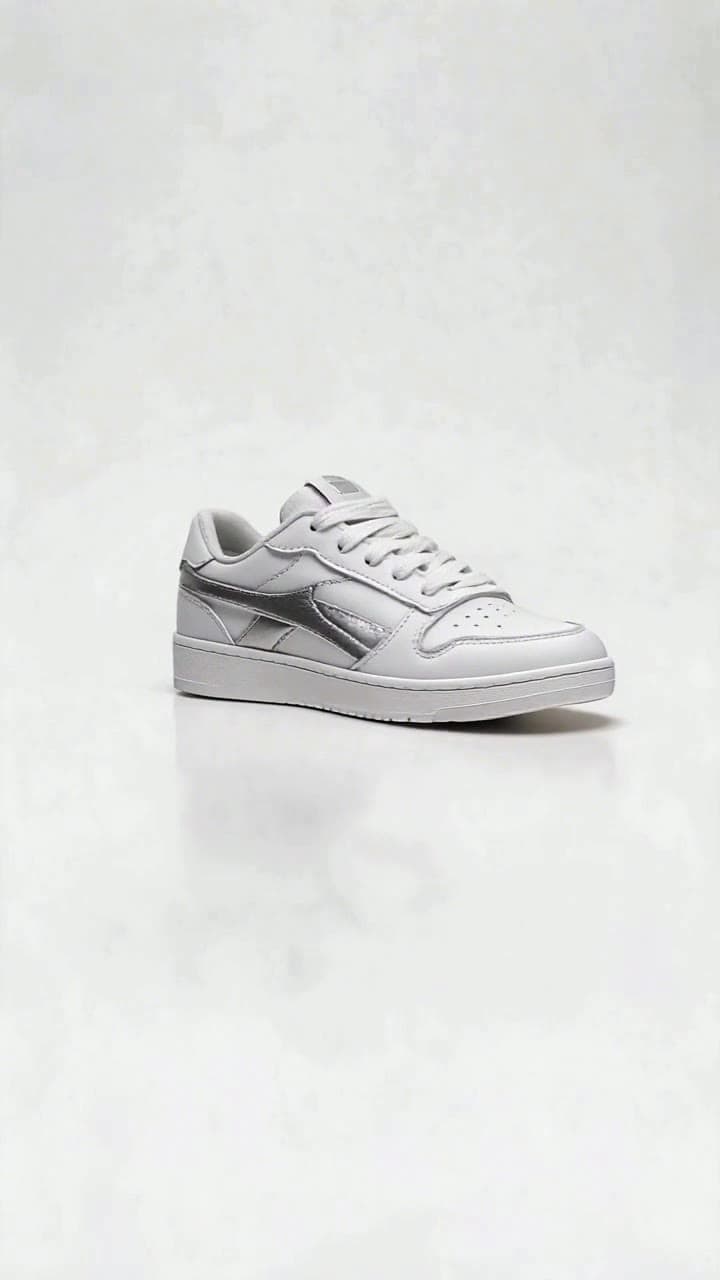
If you’ve ever fumbled through a 20-photo product carousel trying to show a tiny side detail that makes your item special, this effect solves that frustration entirely. No fancy rigs, no hours of 3D rendering, just a single source photo and 60 seconds of runtime to give your audience a full, unobstructed look at whatever you want to highlight. Below are seven actionable, niche-specific ideas you can launch today, plus all the practical details you need to nail your first clip.
1. E-Commerce Product Listing Upgrade Ditch the blurry, disjointed photo carousels that make customers guess what the side of your item looks like. For handmade jewelry, hand-thrown ceramic mugs, custom phone grips, or small tech accessories, a 360° rotation clip lets viewers trace the full curve of a silver ring, the uneven hand-painted glaze on a mug, or the raised texture of a custom grip in one smooth motion. Our user data shows creators using this effect see an average 20% drop in product return rates, since there are zero unspoken surprises when the order arrives. For best results, use a source photo with your product set against a plain white or neutral background, no overlapping clutter.
2. Fashion & OOTD Deep Dive Front-facing outfit photos never do all your hard work justice. Use the 360° effect to pan slowly across back embroidery, custom side seam stitching, the drape of a flowy skirt, or the hidden pocket detail on your new jacket that you spent weeks designing. Post the 60-second clip to TikTok or Instagram Reels, and pair it with a text overlay pointing out the easy-to-miss details that would never show up in a standard flat lay. You can even use it for pre-launch teases of small batch apparel drops to build hype before items go live.
3. Collectible & Hobby Community Showcases If you’re a sneakerhead, vintage toy collector, or custom figurine maker, your community cares about the tiny, niche details that prove your find is authentic. A 360° rotation clip lets you zoom in gently on the tiny serial number printed on a sneaker heel, the custom hand-painted edge detail on a vintage comic book, or the limited edition stamp on the bottom of a rare vinyl record. Post it to your Discord or Reddit collector group, and skip the endless back-and-forth of people asking you to send a separate photo of the side of the item.
4. Client-Winning Small Business Portfolios For freelance event designers, custom bakers, or wedding stylists, static photos of your best work rarely sell the full experience. Use the effect to showcase custom hand-painted wedding centerpieces, multi-tiered custom cake designs with intricate sugar flower details, or hand-lettered event signage to prospective clients. A full rotation clip lets potential clients see every tiny, intentional detail of your work, making it far easier to stand out from competing portfolios full of generic phone photos.
5. Crowdfunding Prototype Previews If you’re an independent toy designer, jewelry maker, or gadget creator running a Kickstarter or Indiegogo campaign, backers hate feeling like they’re backing a vague concept. Use the 360° 3D Rotate Showcase template to turn a single prototype photo into a full rotation clip that shows every movable joint on your new action figure, the hidden engraving spot on a custom pen, or the full layout of buttons on your small tech gadget. It takes 3 clicks to generate, no 3D modeling experience required, and you can drop the clip straight into your campaign page in minutes.
6. Beauty & Limited Edition Drop Teasers Makeup creators and indie beauty brand owners know fans fixate on the tiny, exclusive details of limited runs. Use the effect to pan across a new eyeshadow palette, showing the full gradient of shade pans on the front, the embossed foil logo on the case, and even the subtle iridescent shift of the highlighter shade when the light hits it at an angle. It’s way more dynamic than a flat lay photo, and you can tease the clip 48 hours before your drop to drive pre-sales.
7. Fitness & Activewear Line Launches For independent fitness creators launching their own custom activewear, a rotation clip lets you highlight details that static photos can’t capture: the textured moisture-wicking fabric on the side of your new leggings, the reflective logo on the back waistband, or the hidden phone pocket tucked into the inner seam. Post it alongside your standard workout content to give your audience a full sense of what they’re buying, no awkward try-on haul required.
All of these clips take roughly 1 minute to generate from a single source photo, and cost 2 standard ourpic.ai credits per full 60-second render. A few quick rules to get perfect results every time: don’t use source photos with busy, cluttered backgrounds, make sure your main subject is centered in the frame, and avoid photos where your item is partially cut off by the edge of the shot. If you need a step-by-step walkthrough to get your first clip right, head to our guide on How to Make a 360° 3D Rotate Showcase Video in 3 Clicks for pro hacks to get the smoothest, most realistic rotation possible.


