7 Custom AI Figurine Transformation Video Ideas That Work For Every Single Occasion
Turn selfies, pet snaps, brand assets, and more into viral-worthy figurine reveal clips with these 7 actionable, no-fuss use cases for our AI template.
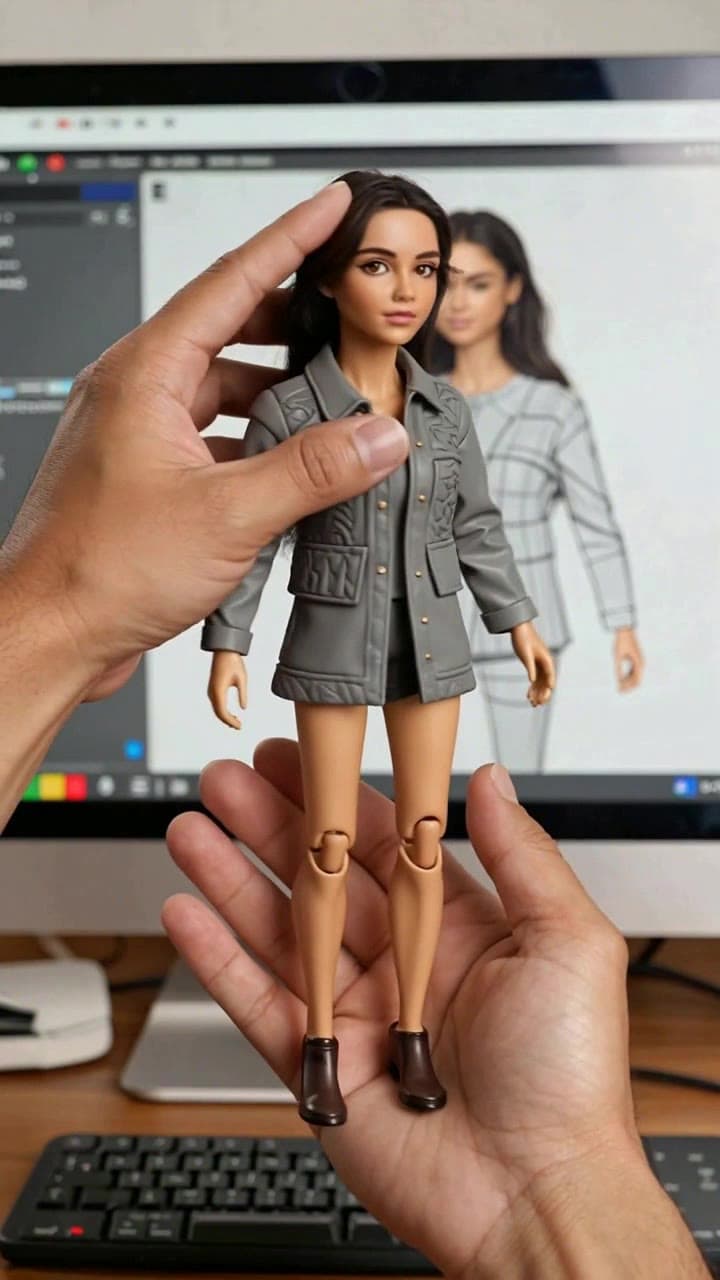
If you’ve only tested our AI figurine transformation template as a silly one-off selfie filter, you’re missing out on a shockingly versatile tool for personal keepsakes, social media content, and even low-lift brand marketing. Every clip takes roughly 60 seconds to generate from start to finish, costs just 2 platform credits, and works with everything from casual phone snaps to polished professional photos, as long as your source image has a clear, unobscured face (or pet face) with no heavy motion blur.
Below are 7 distinct, tested use cases that feel far more intentional than a random social media trend:
1. Personal birthday reveal for a physical figurine gift Skip the generic e-card or 2-line text birthday wish. Upload a clear, well-lit photo of your friend, partner, or family member to generate a 10-second clip that shows their face morphing into a detailed, poseable plastic figurine, then send it as a playful teaser for the real custom physical figurine you ordered as their actual gift. It’s a memorable hook that builds anticipation way before their package arrives, and most people end up saving the digital clip to their camera roll long after the physical gift is unboxed.
2. Creator merch pre-order hype teaser If you’re a streamer, TikTok artist, or small independent brand gearing up for a limited-edition action figure drop, upload your official brand headshot or mascot art to the template to make a 15-second teaser clip that shows the figurine spinning on a themed display base. Post it 48 hours before pre-orders go live to your Instagram Stories or Discord server, and you’ll see way more engagement than a standard static product announcement. We’ve seen micro-creators pull 3x more pre-order signups with this exact trick.
3. Halloween or convention cosplay recap Spent 10+ hours putting together an elaborate cosplay for a con or Halloween party? Upload your best full-body, well-lit costume photo to the template to turn that look into a premium, paint-splashed collectible figurine that looks like it belongs on a fan’s display shelf next to official franchise merch. Tag the costume brand or fandom community you’re part of, and you’ll almost certainly get a flood of comments asking how you made it.
4. Low-effort remote team onboarding icebreaker Ditch the boring “hi I’m new, I like hiking” text bio for your Slack channel. Have every new remote hire spend 2 minutes uploading a casual photo of themselves to the template to generate their own custom figurine transformation clip, then share it in the team’s general channel. It’s a silly, low-pressure way to show off personality, and we’ve seen teams use the resulting clips as custom profile icons for their internal tools too.
5. Fandom deep-cut fan edit Ever wished your favorite underrated side character from a game, anime, or B-list horror movie got an official limited-edition action figure? Grab a high-res still of the character from your favorite media, run it through the template, and generate a clip that imagines their official figurine reveal. Post it in your niche fandom Reddit or Discord group, and you’ll instantly become the group hero for making a piece of content no one else bothered to put together.
6. Family keepsake clip for private groups Turn a casual family portrait, a photo of your kid on their first day of school, or even a decades-old scanned photo of your grandparents into a custom figurine clip to share in your private family WhatsApp or Facebook group. It’s a far more dynamic memento than just re-sharing the original photo, and multiple family members have told us they’ve printed still frames from these clips to use as custom holiday card art.
7. Viral pet figurine trend clip Got a pet with a very distinct, silly face? Upload a clear photo of your dog, cat, or even ferret facing directly at the camera (no hats or toys covering their face) to the template, and tweak the input settings to prioritize animal likeness to make a clip of your pet shrinking down to a tiny, poseable figurine that looks like it’s sitting in the palm of your hand. These clips consistently go viral on pet TikTok accounts, and even smaller accounts with 1k followers have pulled 100k+ views on them.
All of these ideas take less than 2 minutes of active work to pull off with the Custom AI Figurine Transformation Template. For quick best practices to avoid wonky outputs: do use a source image with no face-obscuring sunglasses or masks, don’t upload heavily filtered photos that wash out facial features, and double check that your subject is centered in the frame before you hit generate. For a full walkthrough to get perfect, 1:1 likeness every time, check out our guide on How to Make a Custom AI Figurine Transformation Video before you start your first render.


