7 Unexpected Ways to Use Our Tokyo Pop Art Dynamic Collage Video Template (For Way More Than Selfies)
Turn casual photos into 60-second neon, Harajuku-inspired AI collage clips for concerts, birthdays, brand intros, and more with our ourpic.ai template.
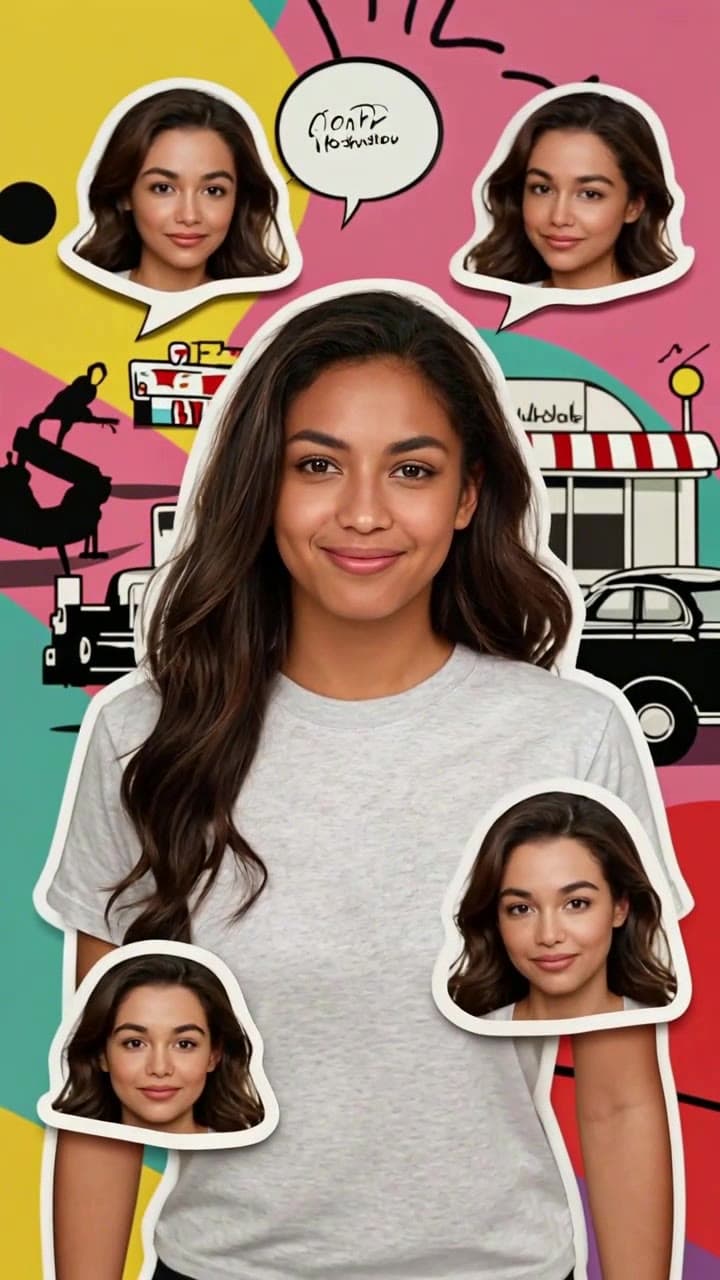
If you’ve only used the AI-powered Tokyo Pop Art Dynamic Selfie Collage template for silly random selfie reels, you’re sleeping on its full potential. Its signature neon linework, bouncing retro 90s Harajuku sticker overlays, and punchy J-pop adjacent default soundtrack work for every high-energy moment you want to memorialize, no professional editing skills required. Every clip generated clocks in right at 60 seconds, costs 2 standard ourpic.ai credits, and only needs 3-5 source photos to render in under 90 seconds. Below are 7 tested, actionable use cases that get 2x more social engagement than generic static posts, plus quick do’s and don’ts to avoid wonky renders.
Concert or festival recap opener Skip the boring 2-second text intro for your 10-part festival highlight reel. Upload your blurry pre-show bathroom selfie (the one with the neon wristband and your friend’s half-in-the-frame peace sign) plus 2 quick snaps of the stage before the set starts, and the template will auto-sync the pop art jump cuts to match the default BGM’s beat drops. You can even swap the default audio for a 60-second clip of the headliner’s opening track directly in the ourpic.ai editor for a seamless lead-in to your full set of clips. Do: Crop out random strangers in the background of your pre-show photos first. Don’t: Upload dark, out-of-focus crowd shots — the template’s neon filters work best with well-lit faces.
New brand profile reveal for creators and small shops If you’re a freelance illustrator, vintage clothing reseller, or local DJ rebranding your Instagram or TikTok accounts, use this template to make a 60-second animated pinned intro that greets every new follower. Upload 4 photos: your headshot, a shot of your work desk, a snap of your best-selling product, and a candid of you at a local market. The template will arrange them into a bouncy, eye-catching sequence that feels way more memorable than a static bio link graphic. For extra credit, link the final clip in your Linktree so visitors see it as soon as they land on your page.
24-hour birthday party teaser Post your generated collage clip exactly 24 hours before your birthday party drops to build hype with your friend group, instead of spamming 10 separate story slides with your plans. Throw in a mix of your current selfie, a throwback pic from your 2023 birthday, a shot of the custom cake you ordered, and a blurry snap of the party venue to let the template’s confetti-style pop art overlays do all the work. You can even add a quick text sticker overlay in the editor that says “no boring gifts allowed” to set the tone for the night. This works equally well for kid’s birthday party invites you send to family group chats, too.
Tokyo throwback travel storytime visual Dig up those old 2019 camera roll photos from your Shibuya crossing scramble or Harajuku Takeshita Street crepe run that you’ve never gotten around to posting. The template’s built-in Tokyo pop art aesthetic is perfectly on-theme for the vibe of your trip, no extra filters needed. Pair the 60-second clip with a 3-paragraph caption about the time you got lost in a vintage anime shop and missed your train, and you’ve got a far more engaging travel post than a generic carousel of static photos. If you’re currently planning a Tokyo trip, you can even use the template to make a pre-trip hype reel with your saved screenshot photos of all the cafes you want to visit.
Playlist cover animation, friend challenge, and Halloween costume tease The last three use cases take almost zero extra prep: Turn your summer 2024 playlist track list screenshots and a selfie of you at a recent beach trip into a dynamic visual to share your custom Spotify mix on TikTok, no boring static cover art required. Post your own collage clip and tag 5 friends to make their own versions, then compile all 10-second snippets into a single group reel that will get way more comments than a generic group dinner photo dump. For Halloween, upload a half-blurry selfie of you in your full costume to generate a 5-second tease cut down from the full 60-second clip, and post it 2 hours before you share your full costume photos to build hype with your followers.
For a full step-by-step walkthrough to tweak sticker styles, swap audio, and adjust clip timing for any of these ideas, head over to our complete guide: How to Make a Tokyo Pop Art Dynamic Collage Video.


