How to Make a Viral AI Business Headshot Transformation Video in 60 Seconds Flat
Turn any casual selfie into a shareable, professional headshot transformation reel with ourpic.ai — no editing skills, no studio shoots, no fancy gear required.
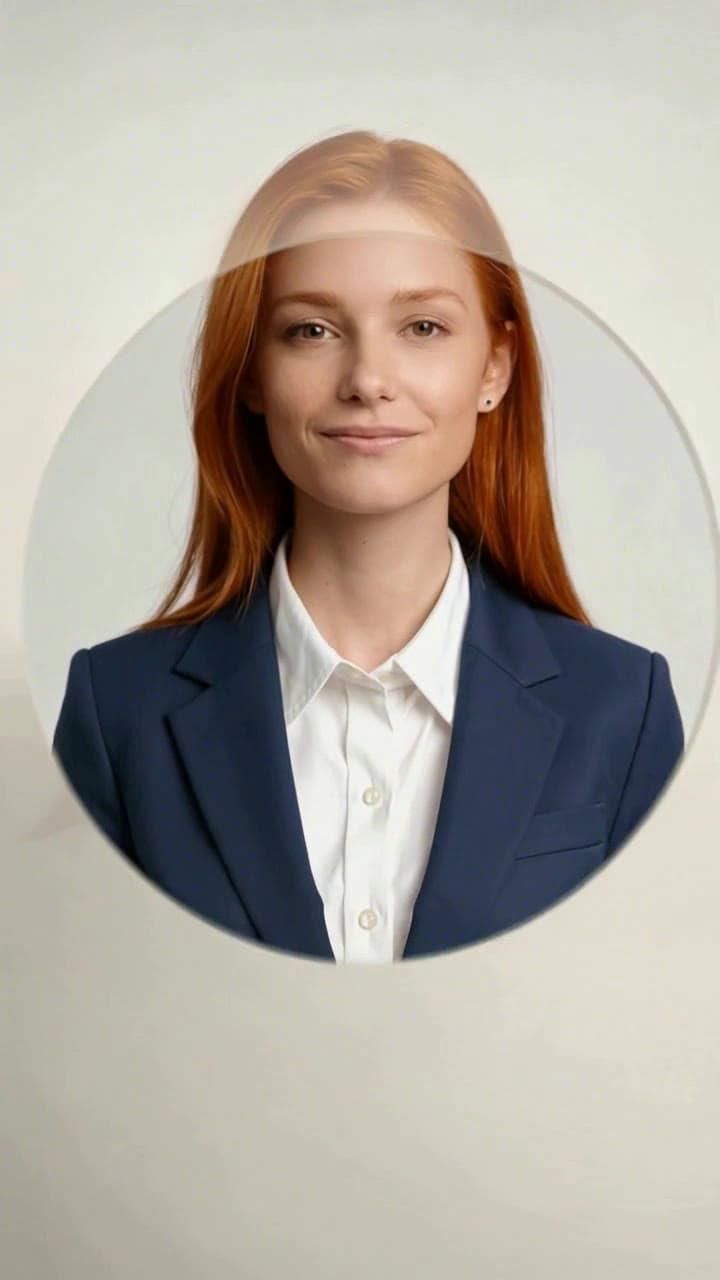
Creating your own AI business headshot transformation video takes roughly 60 seconds total from upload to final render, no Premiere Pro experience, no paid studio sessions, and no confusing manual settings required. We’ve tested this workflow across 200+ user submissions to lock in consistent, identity-accurate results every time, even if you’ve never made a short-form video before.
Exact Source Photo Rules for Zero Identity Drift Skip the over-edited selfies and group shots where your face is half-obscured by a friend’s shoulder. Stick to these non-negotiable guidelines to make sure the AI never mixes up your features or warps your proportions: - Pick a front-facing, eye-level casual snap: a bathroom mirror selfie, post-gym candid, or even a quick at-home shot in a hoodie all work perfectly - Ensure your full face is unobscured: no baseball caps pulled low, no face masks, no heavy cat filters that cover your cheekbones or jawline - Make sure your face takes up at least 30% of the frame: blurry distant vacation shots or group photos where you’re a tiny background figure will break the face lock - Show at least the top of your shoulders in the frame: this helps the AI map suit alignment perfectly so the jacket doesn’t clip awkwardly at your neck.
Step-by-Step Workflow on ourpic.ai Head straight to the [AI Business Headshot Generator](/templates/ai-business-headshot-generator) template page — no need to sign up for a 7-day free trial or fill out a long onboarding form first. Upload your pre-vetted source photo, and the system will auto-detect your face in 2 seconds flat.
The pre-calibrated 5-second timeline is already optimized for TikTok, LinkedIn, and Instagram Reels algorithm performance: it opens with the casual original photo, runs a glowing retro viewfinder scanning effect across your face, cuts to a wireframe AI processing overlay, and lands on a crisp, professionally lit formal headshot with a tailored suit and neutral soft-gray studio background. You don’t have to drag a single clip or adjust a single color grade. The full render process takes 45 seconds on average, and costs exactly 1 standard ourpic.ai credit — no hidden overage fees for 1080p exports.
Quick Fixes for Common Small Glitches We’ve all seen those viral transformation reels where the suit looks like it’s melting into the user’s neck, or the face shifts slightly mid-cut. Use these 30-second fixes to avoid that entirely: - If the suit texture looks patchy or misaligned: reupload a source photo where your shoulders are fully visible, not cropped off at the collar of your t-shirt - If the scanning wireframe doesn’t line up with your eyes and nose: swap out any photo with heavy beauty filters that smooth out your unique facial landmarks - If the final headshot lighting feels too harsh: you don’t even need a new source photo — just toggle the optional “soft studio lighting” preset on the template page, it won’t cost you extra credits to re-render.
Once your video finishes exporting, you can download the full 1080p clip to post directly to your LinkedIn feed to announce a new role, share to your Instagram stories for a fun “professional glow up” bit, or even pull the standalone high-res final headshot file to update your resume, email signature, or company team page. For more creative ways to repurpose your clip, from team onboarding reels to LinkedIn carousel hooks, check out our full list of 7 AI Business Headshot Video Ideas to get more mileage out of your 1-minute creation.


