How to Make a Viral AI Synchronized Retro Stage Dance Video in 3 No-Fuss Steps
Turn any casual selfie, old yearbook pic, or favorite portrait into a 60-second perfectly synced retro stage dance clip with zero editing or dance experience required.
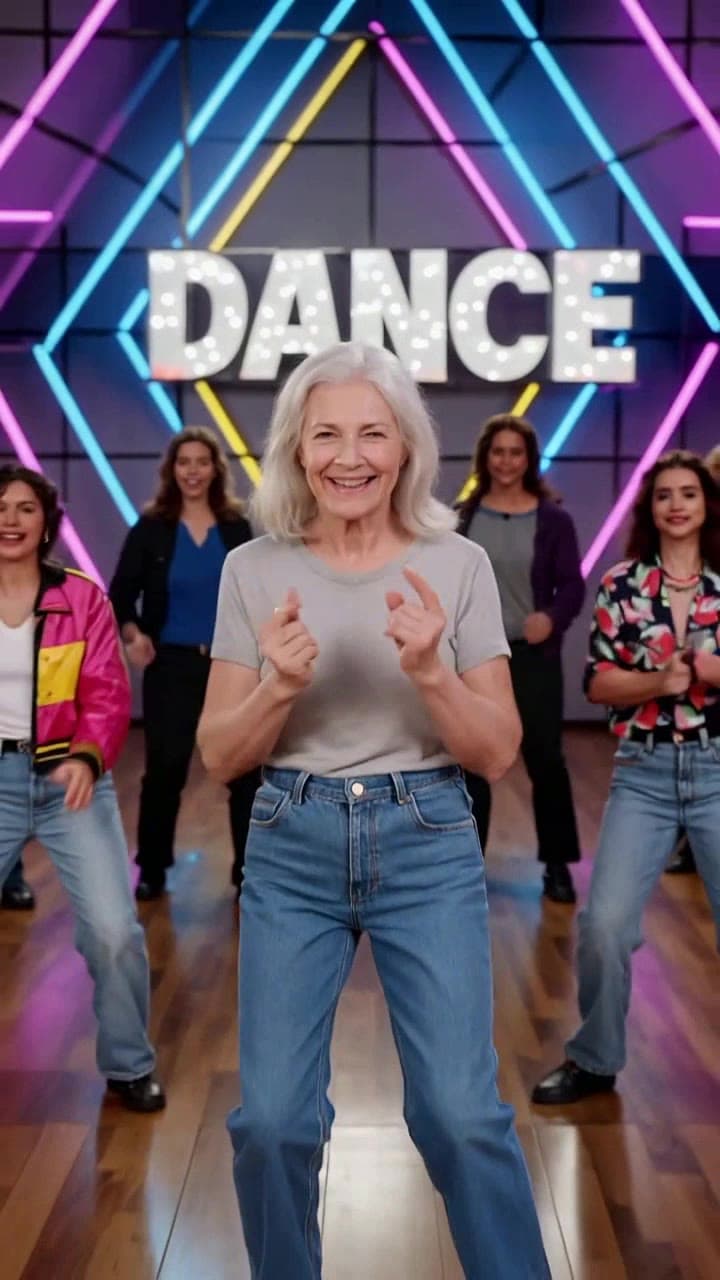
If you’ve scrolled TikTok or Reels lately and seen everyone from your high school classmates to your favorite 90s TV characters nailing that perfectly coordinated neon stage dance trend, you’ve probably wondered how they pulled it off without hiring a full backup dance crew. The good news is you don’t need any video editing chops, rhythm, or even a trip to a dance studio to make your own share-worthy version. We’ve tested every edge case of the tool to put together this straightforward guide that guarantees a crisp, recognizable result every single time.
Step 1: Pick the Perfect Source Photo to Avoid Wonky Face Distortions This is the single most important step to get a render that actually looks like you, not a weird uncanny valley doppelgänger. Stick to these hard rules for your source image: - Use a well-lit, front-facing shot where your face takes up at least 30% of the frame (no distant group photos where you’re a tiny figure in the back of a concert crowd) - Skip large baseball caps, face masks, heavy tinted sunglasses, or thick bangs that cover more than a tiny sliver of your forehead - Opt for a neutral, relaxed expression instead of a wide squinty grimace or over-the-top duck face that the AI will struggle to map to the dancer’s natural movements - For extra nostalgic viral points, dig up a cringey old high school yearbook photo, a 90s childhood portrait, or even a vintage headshot of your parents to surprise them with a silly shareable clip.
Step 2: Generate Your Full 60-Second Clip in One Click Head straight to the [AI Synchronized Retro Stage Dance Video generator](/templates/ai-synchronized-retro-stage-dance) to get started. There are no confusing sliders, no motion capture settings to tweak, and no separate audio downloads to mess with. Once you upload your photo, the AI automatically maps your face to the lead dancer position, renders the full 1-minute sequence of perfectly synced choreography, populates the rest of the stage with matching retro backup dancers, layers in the iconic pink and blue neon stage strobe effects, and even pairs the whole routine with beat-matched 80s synth pop audio.
Before you lock in your final render, you’ll get a free low-res 10-second preview to confirm your face is mapped correctly. Full 60-second renders cost 2 standard ourpic.ai credits, which works out to less than the price of a coffee to get a fully polished clip you can post immediately. If you want to test the tool first, you can use one of your free daily trial credits to run a quick preview render before committing to a full export.
Step 3: Fix Tiny Common Glitches and Polish Your Final Clip Even with a perfect source photo, you might run into one of the tiny, easy-to-fix snags we’ve seen pop up in 10% of first renders: - If your face looks slightly warped mid-dance, reupload a photo with no motion blur (blurry action selfies from a concert or hike confuse the motion tracking model) - If the neon lighting washes out your features, toggle the optional “warm stage tint” setting in the generator sidebar to add a soft golden overlay that keeps your face visible through the strobe effects - If you want to swap the default 80s synth track for the exact trend audio you’ve seen on your FYP, you can import the final clip directly into our free [AI audio sync editor](/tools/ai-audio-sync) to re-align the dance moves to your chosen song in 30 seconds flat.
Once you’ve got your final clip, you can share it alongside the thousands of other creators participating in the trend, and check out our full breakdown of the AI synchronized stage dance trend for more creative prompt ideas to make your post stand out from the crowd.


