How to Make a Viral Custom AI Figurine Transformation Video in 3 Simple Steps
Turn any clear portrait into a smooth, viral 1/12 scale figurine transformation video in ~1 minute flat with zero 3D skills, using our pre-built ourpic.ai template.
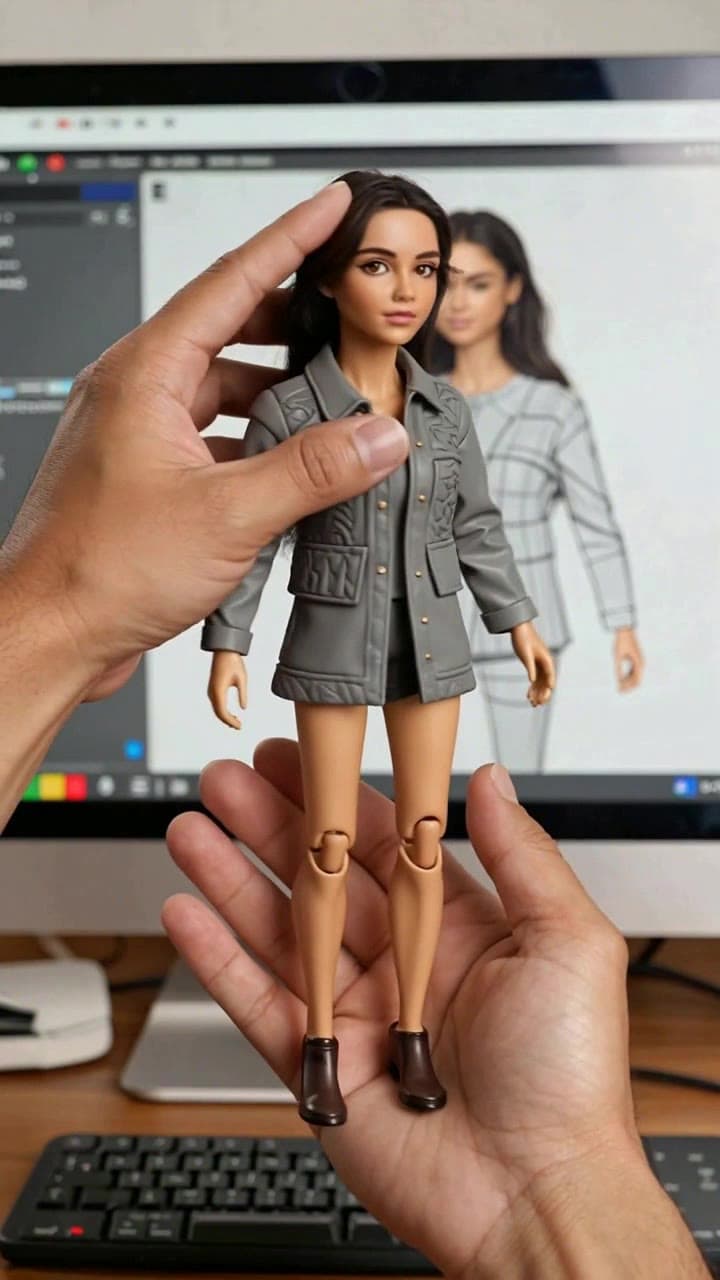
Creating a viral custom figurine transformation video takes less than 2 minutes total with our pre-built ourpic.ai tool — no advanced editing, clunky 3D rendering software, or hours of manual keyframing required. We’ve tested hundreds of user submissions to nail down the exact workflow that delivers crisp, share-worthy clips every single time.
Step 1: Prep Your Source Photo for Perfect Figurine Likeness Skip the over-edited selfies and blurry group shots if you want a figurine that actually looks like you (or your friend, pet, or favorite fictional character). Stick to these concrete rules for best results: - Use a well-lit, front-facing portrait taken in soft natural daylight (a selfie by a window works perfectly) - No heavy obstructions: avoid hats covering 50%+ of your face, face masks, large sunglasses, or motion blur - Crop out other people or random clutter in the frame — the template will automatically remove your original background and drop your likeness straight into the cozy hobbyist workbench scene, no manual editing needed - Neutral, relaxed facial expressions (no over-the-top grimaces or wide open mouths) will map far more accurately to the figurine’s polished, friendly design
We’ve found that unedited 1080p smartphone portraits work better than heavily filtered Instagram exports, so hold off on applying that vintage sepia tone before you upload.
Step 2: Generate Your Full Transformation Clip in 60 Seconds Head straight to the [Custom AI Figurine Transformation Template](/templates/custom-ai-figurine-transformation) to upload your selected photo. The system handles every heavy lift automatically: it first maps your likeness to the full-size character in the opening close-up, then renders the buttery-smooth shrinking animation, the textured 1/12 scale painted figurine reveal, and the popular hand-pickup showcase sequence that’s blowing up on TikTok and Reels.
Pre-applied details you don’t have to tweak: soft plastic click sound effects, warm lo-fi hobby background music, and subtle desk details like scattered paint brushes and a half-open blister pack that make the clip feel like a real unboxing. You can preview the full 5-second rough draft in under 30 seconds, and the full high-res render finishes in ~1 minute total. This template uses 2 ourpic.ai credits per full watermark-free export, which is far less than the 10+ credits most standalone AI video tools charge for comparable custom character animation.
Step 3: Tweak, Export, and Share Your Final Clip If your first render’s figurine likeness feels a little off, don’t waste time adjusting sliders — just re-upload a higher-resolution, unedited portrait with a more neutral expression for a far more consistent result. Common fixes for wonky outputs: swap a low-light nightclub photo for a well-lit headshot, or crop out the coffee cup you were holding in the original selfie that the AI tried to turn into a figurine accessory.
Once you’re happy with the preview, hit export to download the full 1080p watermark-free clip ready to post directly to TikTok, Instagram Reels, YouTube Shorts, or even to send as a silly custom birthday gift to a friend. For extra creative twists, you can even upload a photo of your dog, your favorite cosplay outfit, or your vintage car to turn non-human subjects into tiny figurines for niche hobby communities. If you’re brainstorming new angles to stand out from the viral crowd, check out our curated list of 7 Custom AI Figurine Transformation Video Ideas to test fun themes like “my office coworker as a collectible” or “my concert festival look as a limited edition figurine.”


