What Is the Viral AI Synchronized Retro Stage Dance Trend Blowing Up TikTok and Instagram Feeds?
The 2024 AI synchronized stage dance trend turns a single headshot into a full 90s-style music video group performance — no editing skills required. Here’s how to make yours.
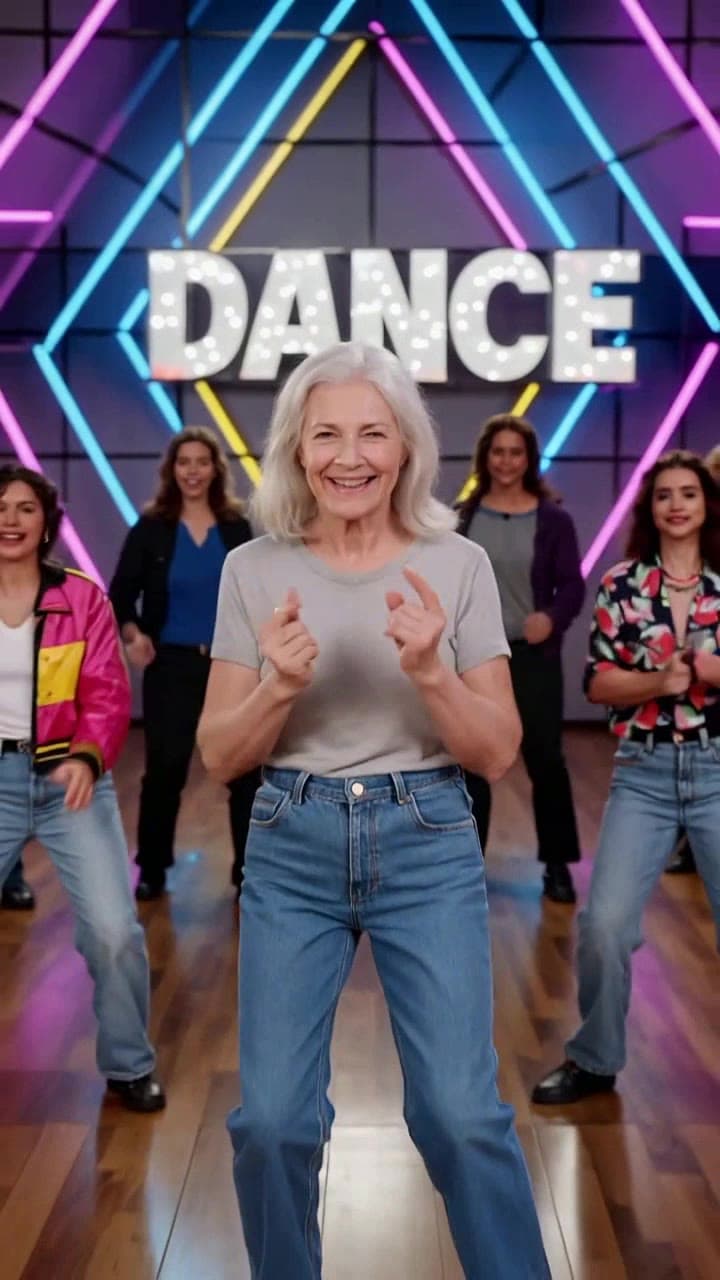
If you’ve scrolled TikTok or Reels in the last few months, you’ve definitely spotted this trend: a 60-second clip opens on a grainy, neon-lit 1998 MTV-style stage, your favorite creator’s face pops up as the lead, and 4-6 perfectly synced backup dancers (all with faces you might recognize from their friend group, office, or even their pet’s Instagram) hit every step in lockstep, no wonky AI motion glitches in sight. It blew up in early 2024 after a handful of 10M+ follower pop culture creators posted their own takes, and unlike earlier AI dance filters that only mapped one person to a pre-recorded choreo loop, this trend’s signature is the full, immersive big-budget vintage music video feel that makes every random user look like they just headlined a sold-out arena tour.
The viral hook isn’t just the cool retro aesthetic — it’s the absurdly low barrier to entry that lets anyone make a polished clip in 60 seconds flat. No motion capture suits, no hours of Premiere Pro editing, not even a full-body photo required. All you need is one clear, well-lit face photo to drop into the template, and the AI handles the rest: matching choreo to the 120BPM retro synth pop backing track, rendering the glowing neon stage with working strobe lights and a confetti cannon that goes off right on beat, and lining up the iconic final freeze-frame group pose that makes 90% of viewers watch the whole clip through to the end. Early viral posts included elementary school teachers turning their entire class headshot roster into a end-of-year dance recital clip, startup teams making a silly holiday party promo with their CEO as the awkward lead dancer, and even corgi owners generating a full all-pet dance troupe that racked up 17M views on TikTok.
Exact photo and template requirements for glitch-free results To get that viral-worthy polished look instead of wonky distorted faces, follow these simple rules for your input photos: - Use a front-facing headshot with no sunglasses, hats, or heavy face masks obscuring 20% or more of your face - Skip blurry screenshots or 10-year-old low-res selfies — 1080p or higher photos work best for crisp face mapping - You can upload up to 7 total faces (1 lead, 6 backup dancers) if you want to feature a whole group, no extra files needed - Total generation time clocks in at ~60 seconds flat, and the full 60-second export costs 2 standard ourpic.ai credits, no hidden fees for HD 1080p resolution.
Real-world use cases beyond the basic trend Most people start by making a silly personal clip, but creators and small brands have already found tons of clever, high-performing spins on the format. Beauty influencers have swapped the default 90s pop track for a bubblegum K-pop backing track to turn their dance clip into a new product launch teaser, tagging their brand ambassadors as backup dancers to drive 3x more engagement than their standard haul posts. Fitness creators rethemed the stage to a 80s aerobics studio to make a viral sign-up clip for their new at-home workout program. Even local sports teams have used the template to turn their entire roster headshots into a hype clip for their season opener, which got shared thousands of times by local fan groups.
Quick dos and don’ts for your best possible clip Do test a silly pet face as the lead — the AI handles animal faces shockingly well, and those clips consistently get the highest share rates. Don’t upload group photos where multiple faces are in the same frame, the face mapping tool works best with individual isolated headshots. Do tweak the default text overlay to add a custom joke (like “our marketing team after hitting our Q2 targets”) to make your clip feel way more personal. Don’t use heavily filtered selfies with face tune that warps your features, that can lead to slightly distorted dance moves mid-clip.
You can make your own viral-ready version right now in minutes using the AI Synchronized Retro Stage Dance Video template, and for extra creative inspiration check out our breakdown of 7 unexpected ways to use the effect in our AI stage dance video ideas guide.


