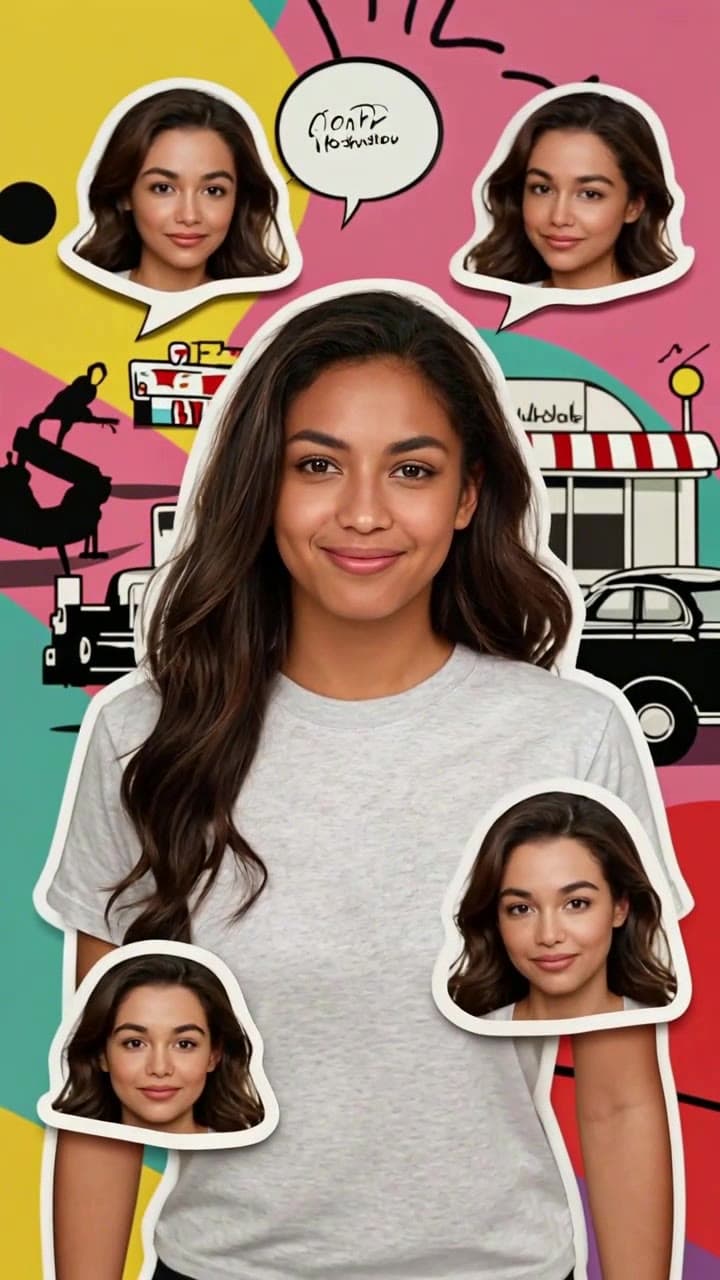
The Tokyo pop art dynamic collage trend first popped up on Japanese street fashion TikTok in early 2024, when local creators started slicing up their selfies into hand-cut retro pop art poster elements that blended 1960s Warhol-style bold graphic design with Harajuku’s signature neon, playful, high-energy aesthetic. Early DIY versions took creators 3+ hours to manually cut out face stickers, animate tiny head bobs and eye blinks, color grade each layer to match saturated retro palettes, and sync the whole sequence to a J-pop or city pop sound bite. That high effort made the effect a rare, status-boosting flex that quickly spread beyond Tokyo’s fashion circles to global creator feeds.
The trend went fully mainstream when our AI-powered Tokyo Pop Art Dynamic Selfie Collage template erased every technical barrier to entry. Unlike generic AI filters that smooth out your unique freckles, face shape, or signature hairstyle to fit a generic art style, this effect is built to prioritize facial identity preservation, turning one single selfie into a playful multi-sticker version of yourself that feels like your personal pop art alter ego, not a random stock character. Viral posts from beauty creators, travel influencers, concert attendees, and even casual users showing off their custom clips have racked up more than 120 million combined views across Instagram Reels, TikTok, and X (Twitter) to date.
Exact specs to get a perfect clip on the first try
You don’t need a professional photoshoot to make a standout collage, but a few small tweaks to your source selfie will eliminate 90% of common wonky results:
- Use a well-lit front-facing photo taken in natural daylight, no heavy existing filters that wash out your features
- Make sure your face takes up 40-60% of the frame, with no hats, face masks, or large sunglasses covering more than 10% of your features
- Skip blurry motion shots or group selfies where you’re not the clear focal point
The entire generation process takes roughly 60 seconds from upload to export, and costs 2 standard ourpic.ai credits, which is the same price point as most of our short-form social AI video templates. The final 15-second clip comes pre-synced to a 120BPM city pop backing track, with optional one-tap adjustments to swap in your own audio.
Real-world use cases that perform far better than generic filters
Part of the trend’s massive staying power (it’s been 4 months and still appears on 10% of TikTok’s trending creative effect feeds) is its unexpected versatility. It feels equally fitting for a post recapping a night out in Shibuya with your friends, a casual weekend coffee hangout, a concert haul post, a pride parade highlight reel, or even a throwback post celebrating your favorite 60s-themed movie night. Unlike short-lived fads that feel dated in a week, the retro pop art base gives every clip a timeless, bold aesthetic that cuts through the sea of overused soft focus cottagecore and grainy film filters cluttering most social feeds. Small business owners have even repurposed the template to turn headshots of their baristas or boutique staff into fun, eye-catching Instagram bio link clips that get 2x more profile clicks than standard static photos.
Quick dos and don’ts to avoid common mistakes
We’ve processed more than 2 million of these clips to date, so we’ve seen exactly what works and what falls flat:
✅ Do upload a selfie with a neutral or slightly smiling expression for the most natural animated end result
✅ Do export in 9:16 vertical format optimized for TikTok and Reels, or toggle to 1:1 if you’re posting to your Instagram grid
❌ Don’t upload a screenshot of a selfie from your camera roll, as the lower resolution will make the pop art linework look fuzzy
❌ Don’t layer extra third-party filters on top of the final clip, as it will wash out the signature bold neon and primary color palette that makes the trend recognizable
If you want a full, step-by-step walkthrough of how to customize every layer of your collage to add custom stickers, text overlays, or even cameos of your pet, you can check out our full guide in [How to Make a Tokyo Pop Art Dynamic Collage Video](/articles/how-to-make-tokyo-pop-art-dynamic-collage-video).